Smartphone Photography – Just Do It Workshop
Step 1: Opening the camera
Swipe up on the home screen to reveal your apps, then tap the Camera app to launch or Swipe left for Easy Access to Your iPhone Camera.
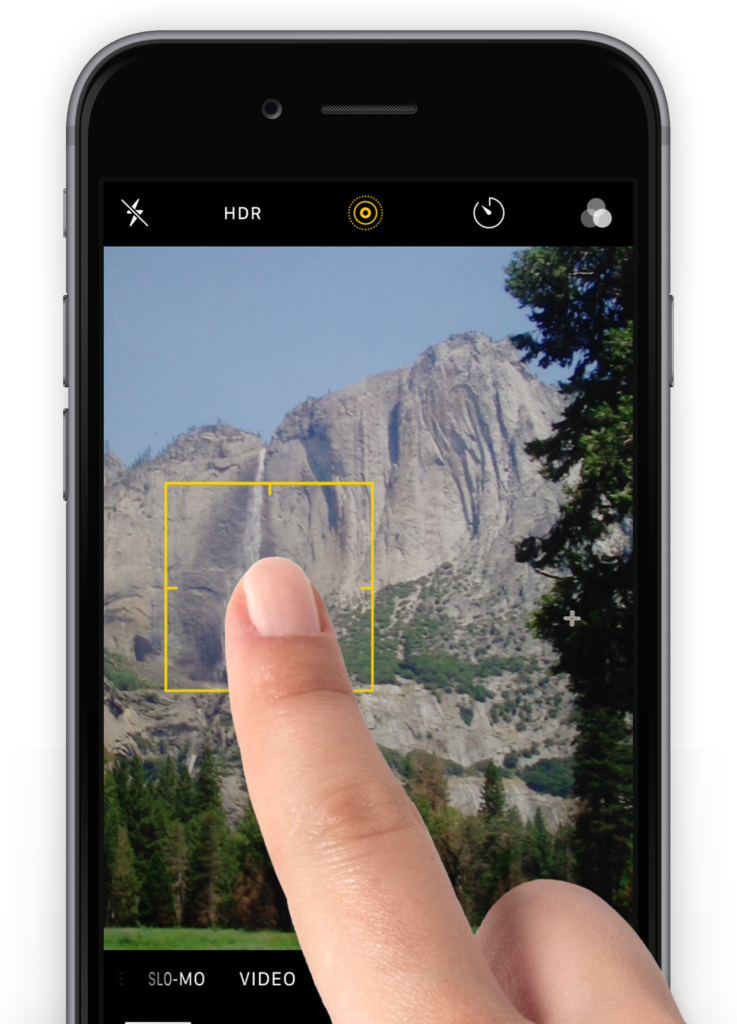
Step 2: Focus
When taking a picture, Tap the screen once on the subject you want to focus on.
This can either be a close-up item or something in the background.
If you find a face recognition option, it’ll automatically zero in on faces, helping you avoid shots where faces are a blurred mess.
Step 3 ACTION: Focus and blur
Find a subject with a lot of depth, for example a row of trees or buildings.
Experiment with manually focusing on different points to influence the depth of field.
Take at least three photos with different focus points.
Tip: choose a subject in the foreground that is reasonably close. Experiment with your focus point in the same frame.
There was a problem reporting this post.
Bevestig dat je dit lid wilt blokkeren.
Je kan niet langer:
Houd er rekening mee dat: Deze actie verwijdert dit lid ook uit jouw vrienden en stuurt een rapport naar de sitebeheerder. Het duurt een paar minuten voordat dit proces is voltooid.